 coderqh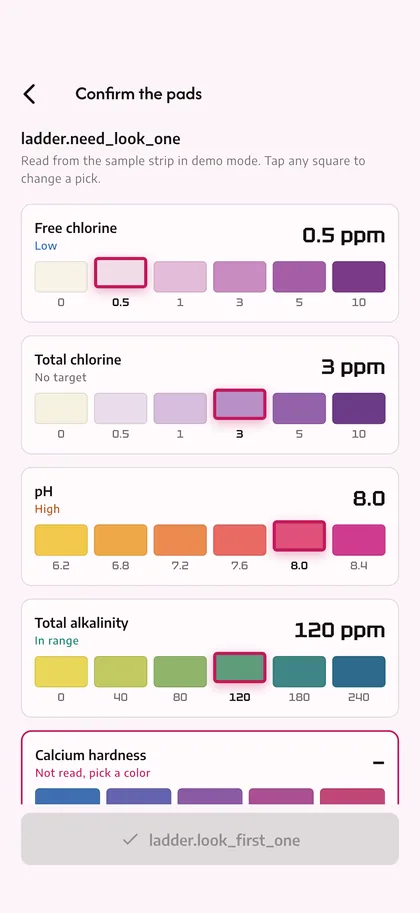
A strip reader you can correct
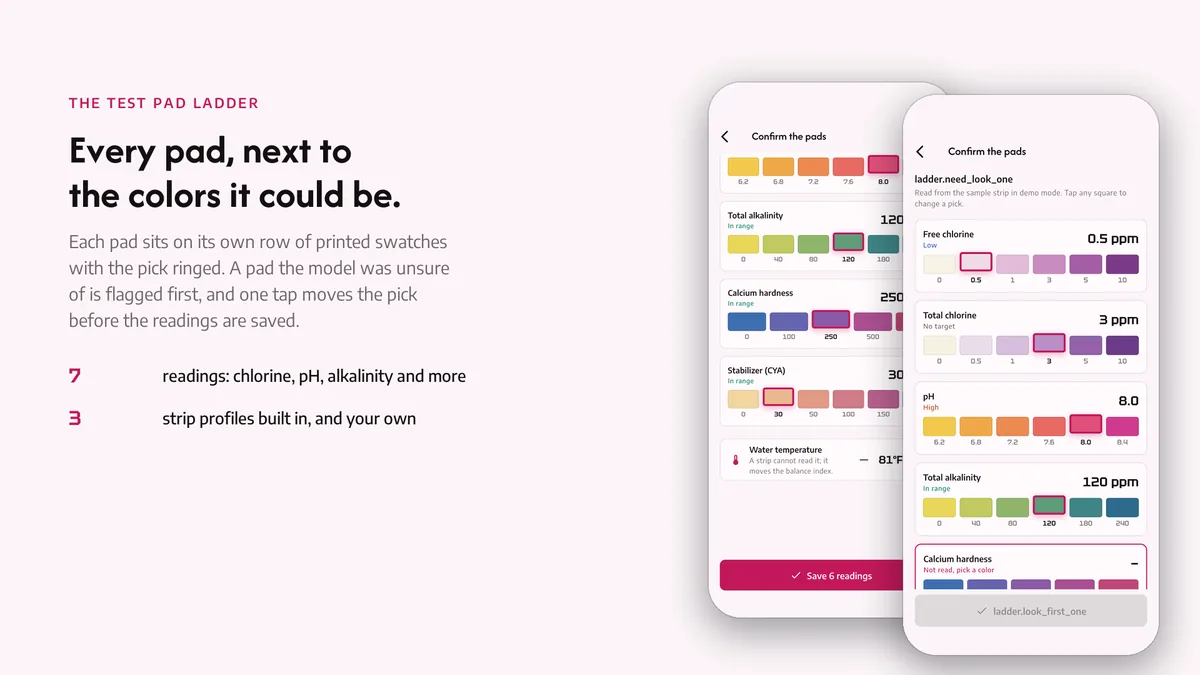
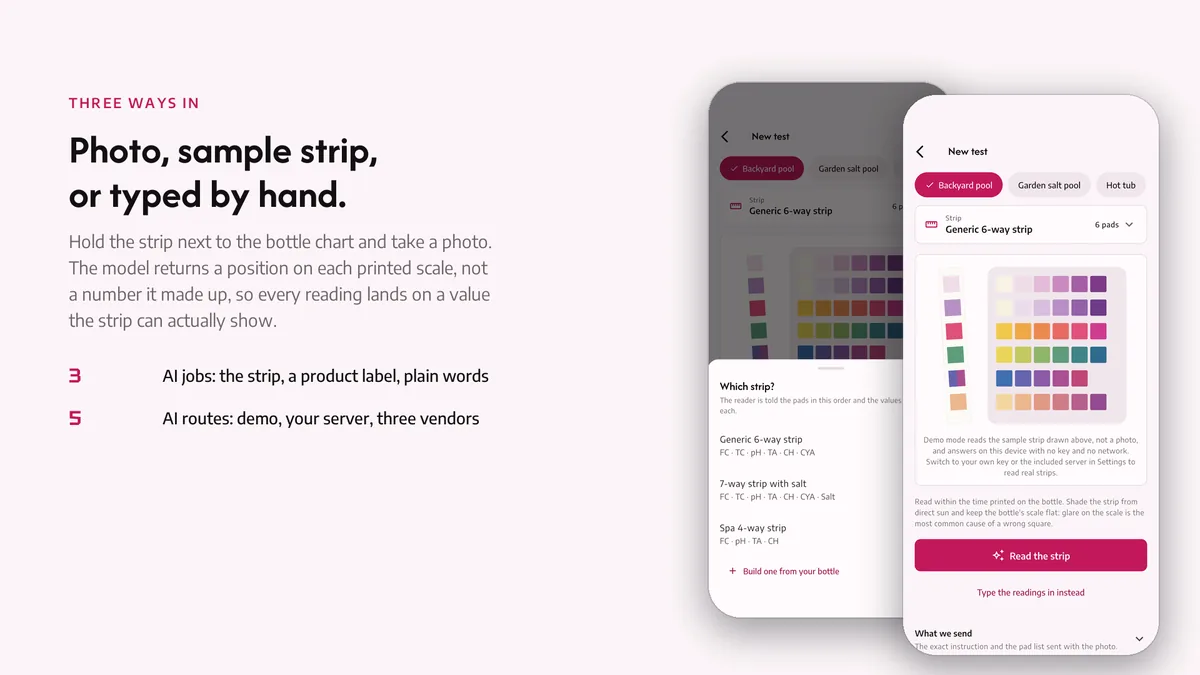
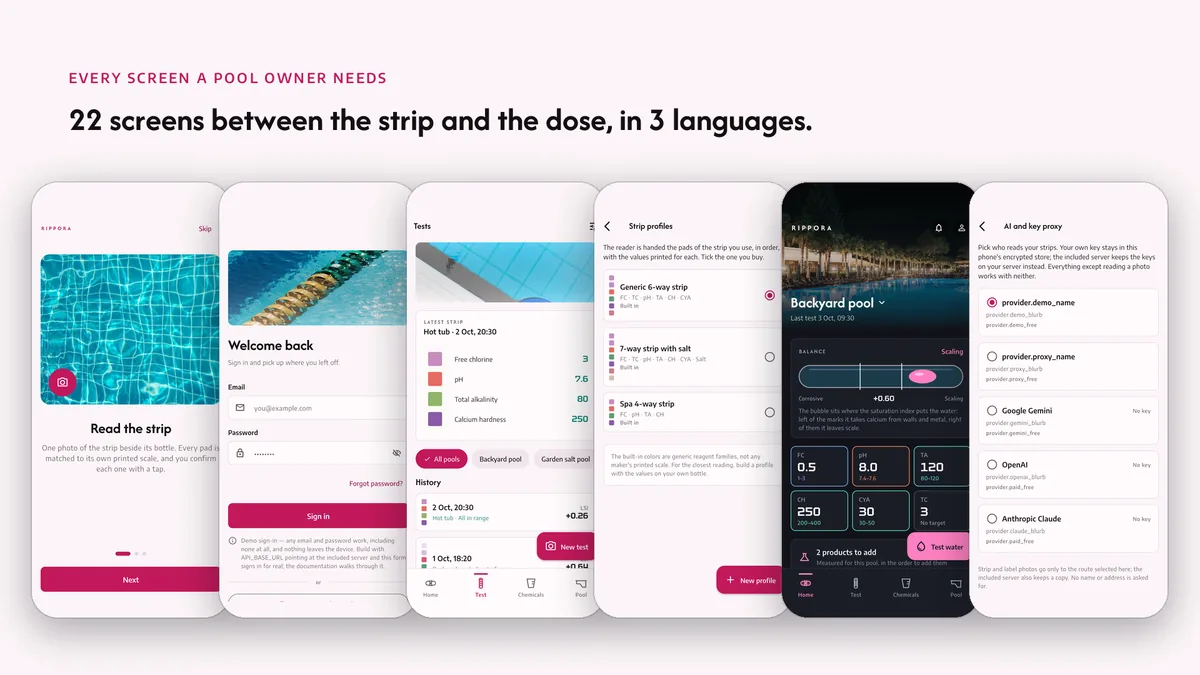
One photo returns a reading for every pad. Each reading sits on the strip's own color ladder, so a wrong pick is one tap away from right. Low confidence pads ask before they count.
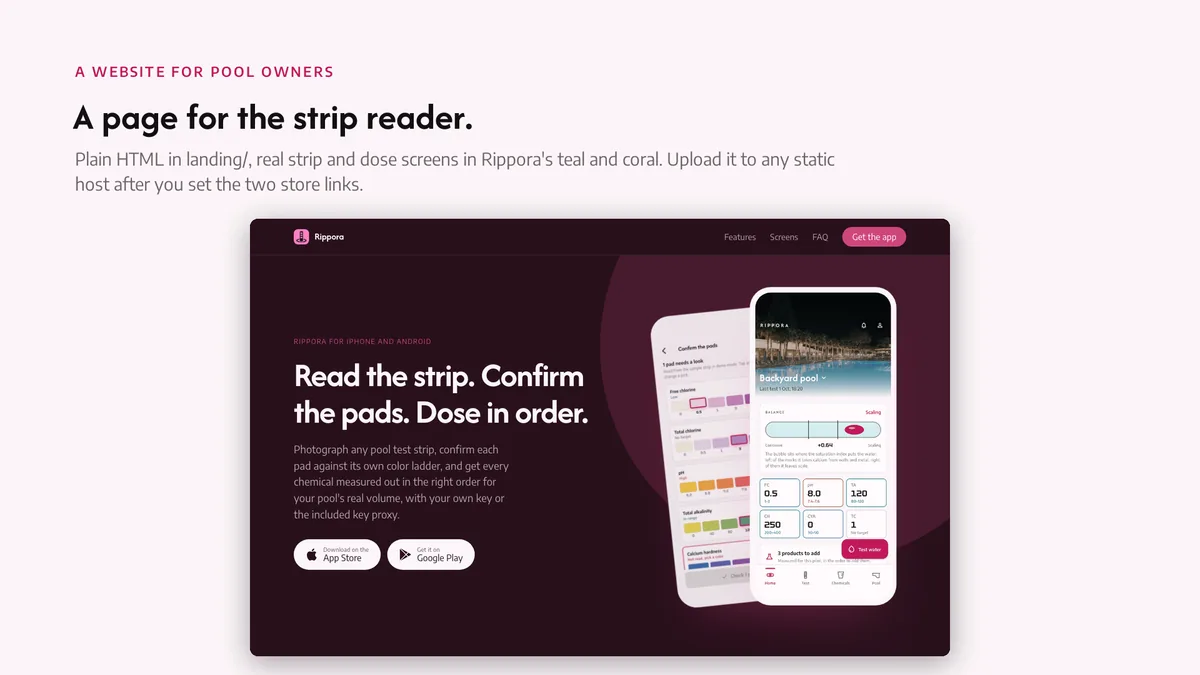
Read the strip. Confirm the pads. Dose in order.

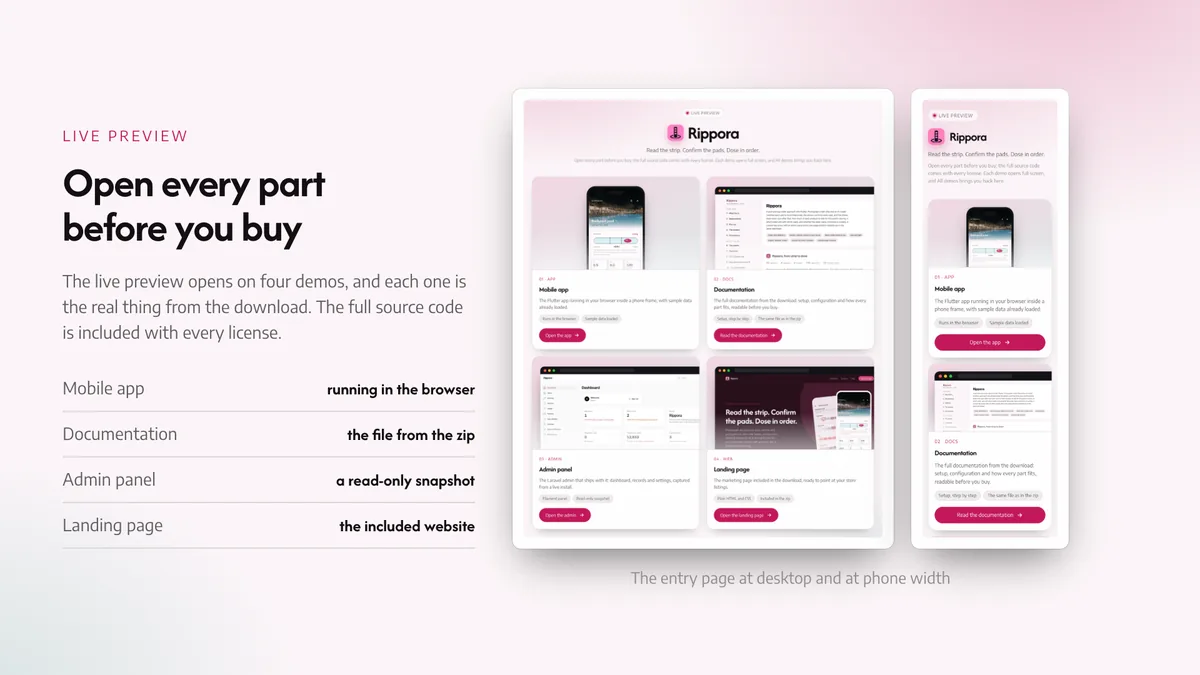
The live preview on CodeCanyon is this app compiled for the web: the real build, not a video.
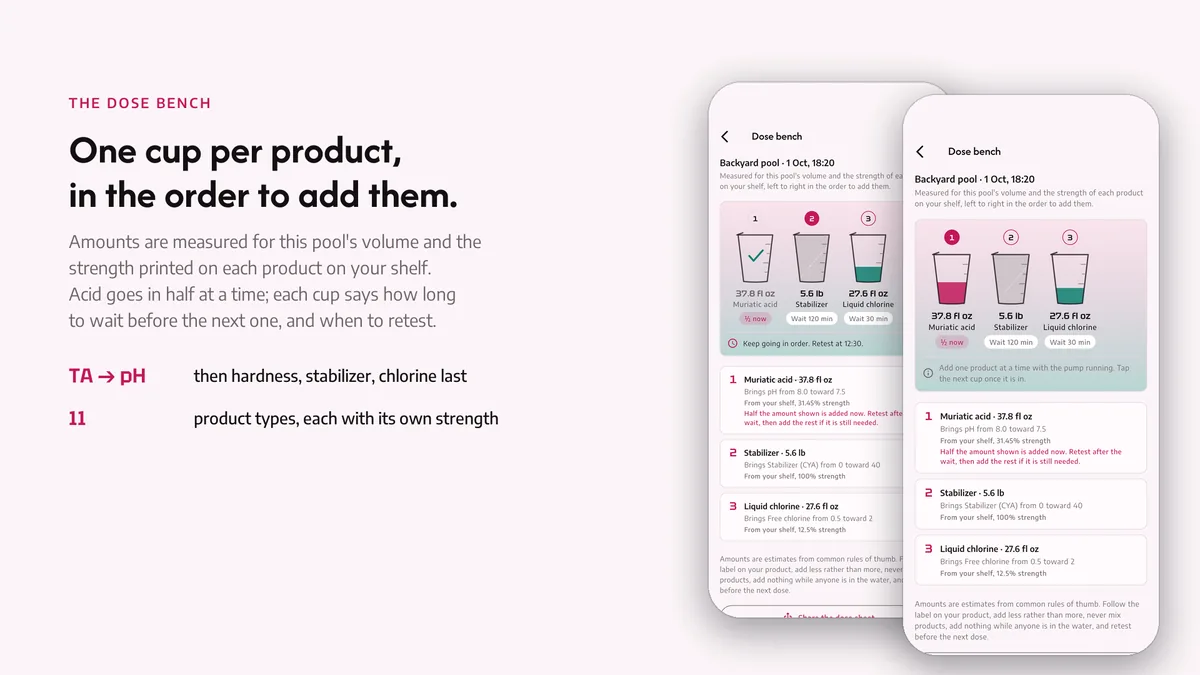
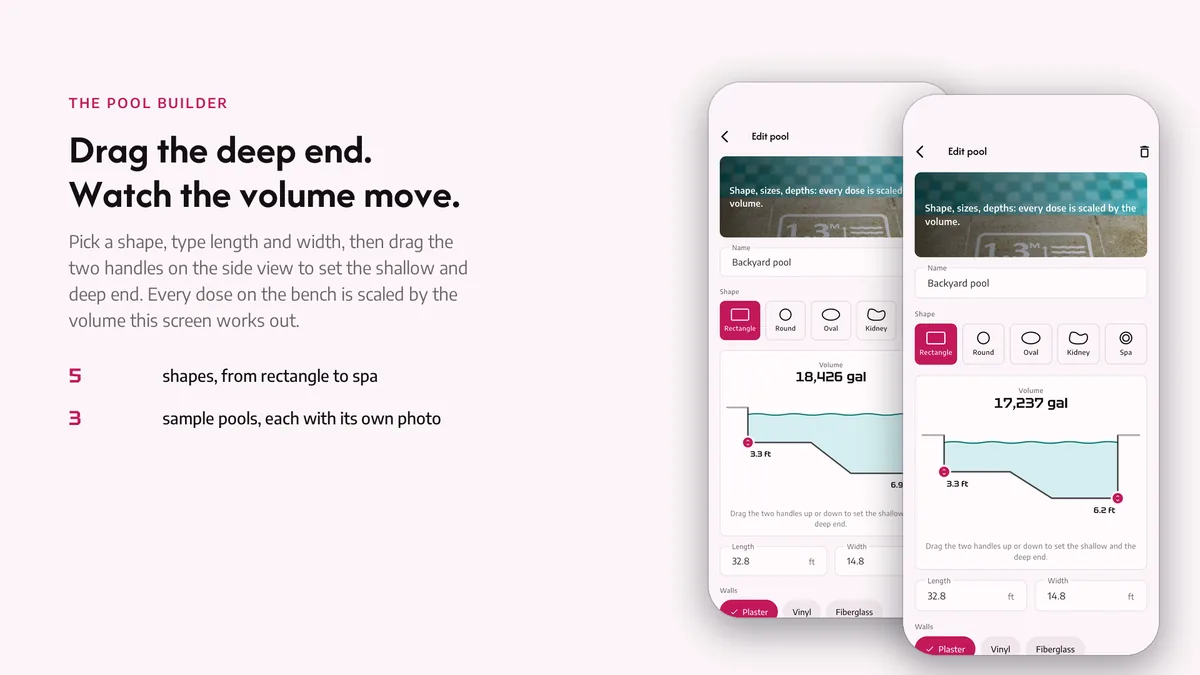
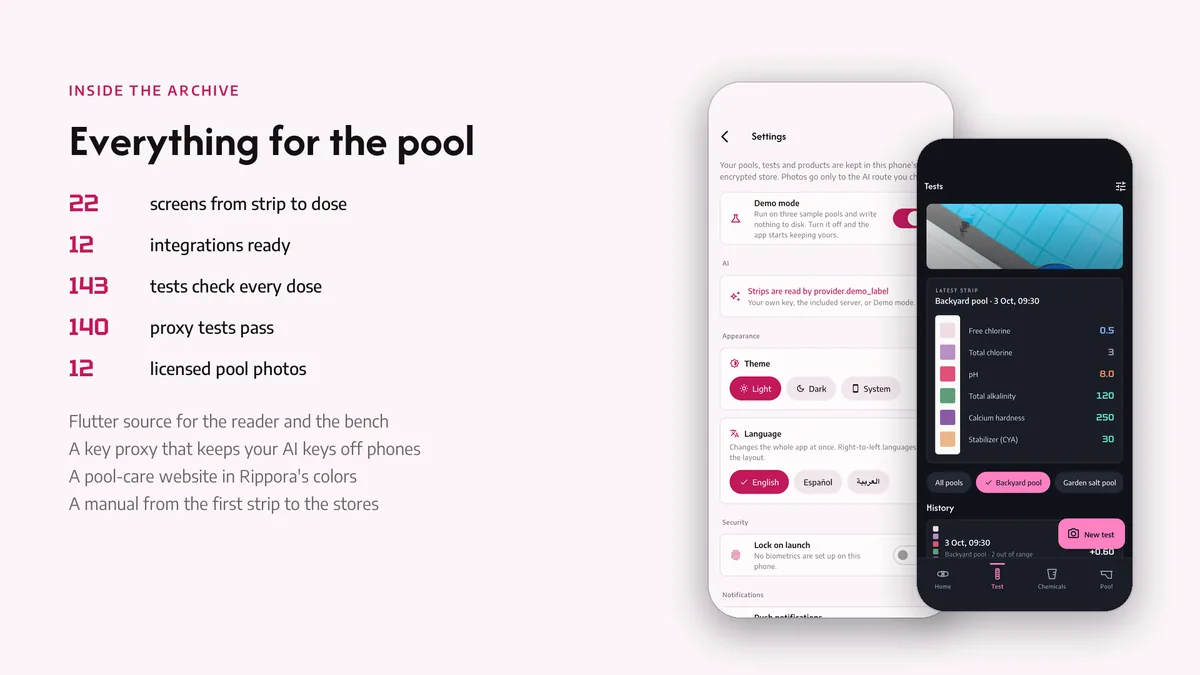
Photograph any pool test strip, confirm each pad against its own color ladder, and get every chemical measured out in the right order for your pool's real volume, with your own key or the included key proxy.
One photo returns a reading for every pad. Each reading sits on the strip's own color ladder, so a wrong pick is one tap away from right. Low confidence pads ask before they count.
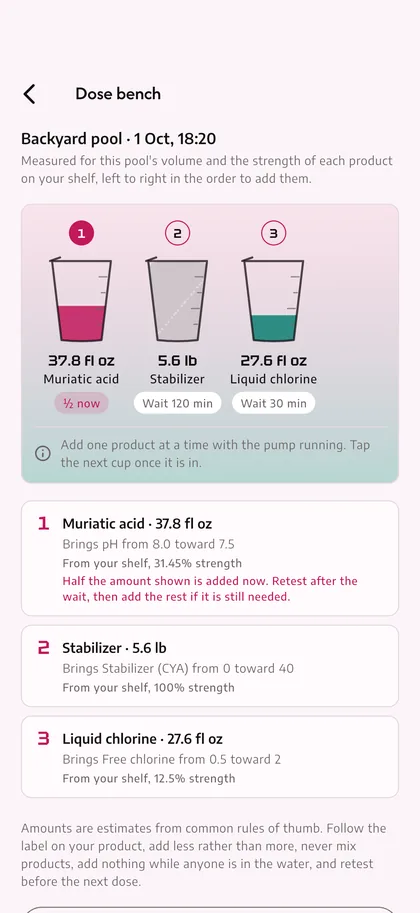
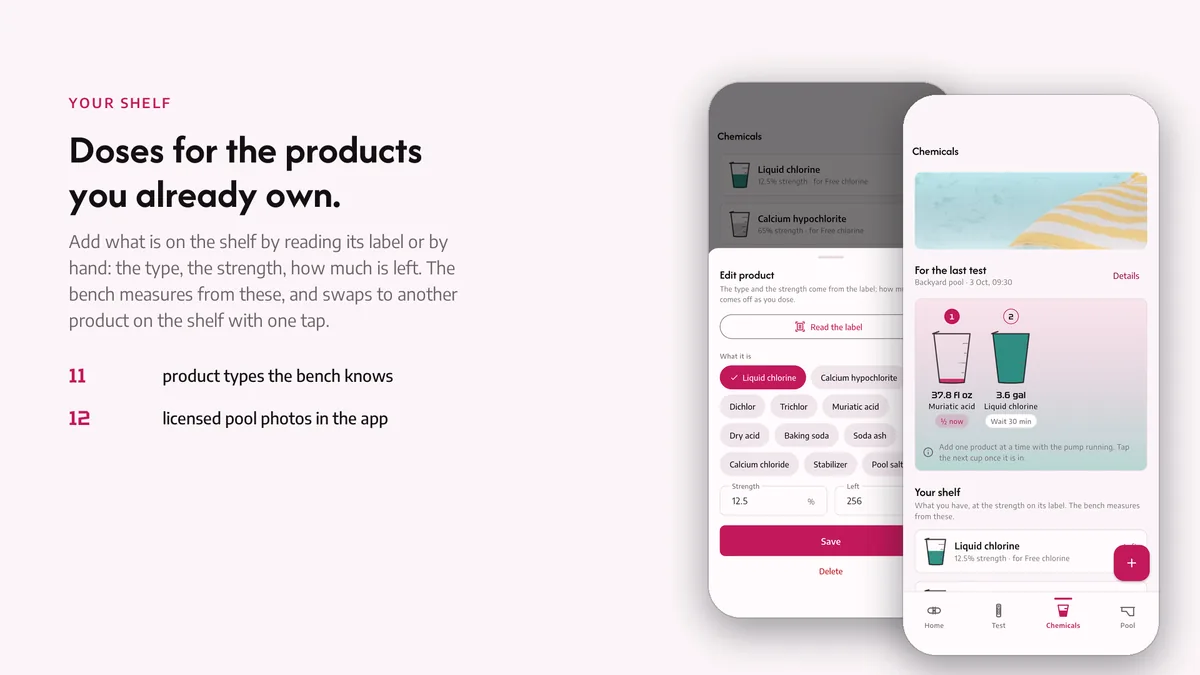
Cups on the bench show how much of each product to add for your volume and product strength, left to right in the order that keeps the water safe, with the wait before the next one.
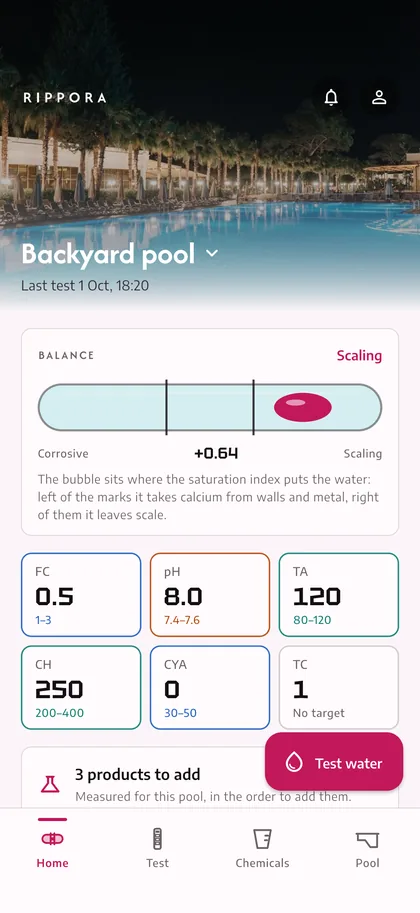
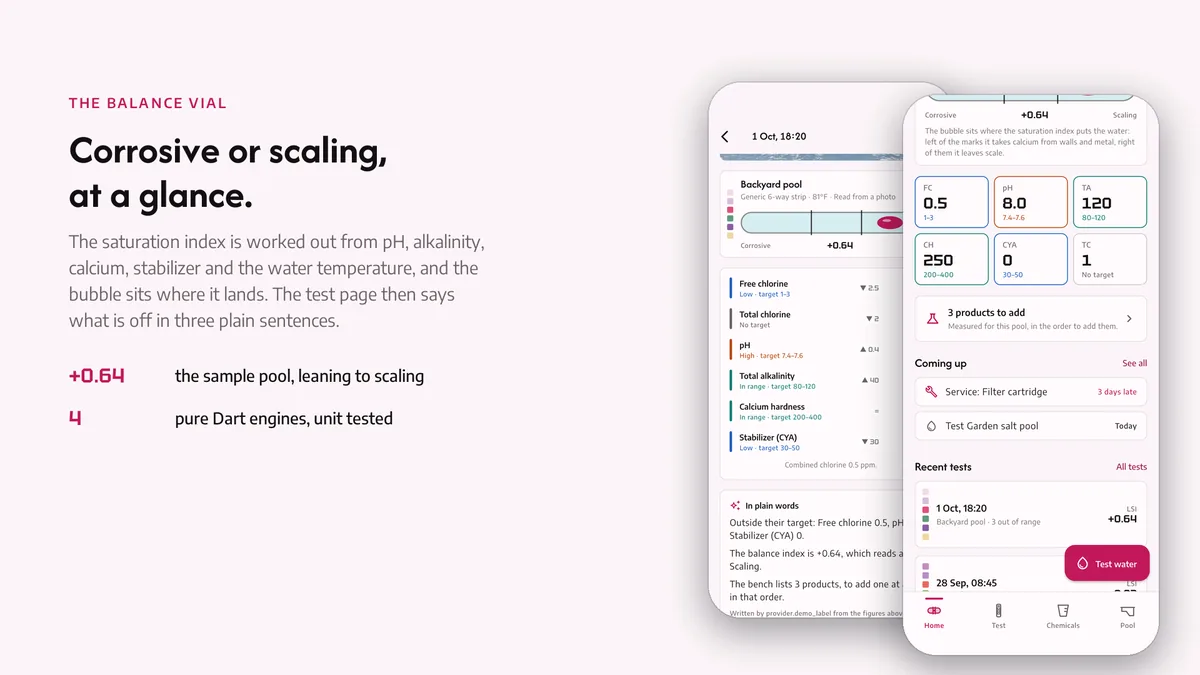
The bubble on the home screen sits where the saturation index puts it, from scaling to corrosive, and every test moves it. History stays on the phone for as long as you like.
# unzip the download, then
$ cd rippora_ai_app
$ flutter pub get
$ flutter run
The app runs on its bundled demo data first. The back end has its own README for Docker and for shared hosting, and the app keeps working without it.
| Screen widgets | 20 |
|---|---|
| Dart files | 184 |
| Tests in the package | 33 |
| Dart SDK | ^3.13.0 |
| Back end | Laravel key proxy for the AI providers |
| Platforms | iOS + Android, one codebase |
Counted from rippora-v1.0-r4.zip, the file uploaded to CodeCanyon. Screen widgets are the view, screen and page classes in the source, so the number can differ slightly from a count of routes.
Something else? Email [email protected]; the author answers.
Yes. Pick a strip profile, or build one by listing the pads in order with the values printed on the bottle. The reader is given that profile with the photo, and you confirm every pad before it counts.
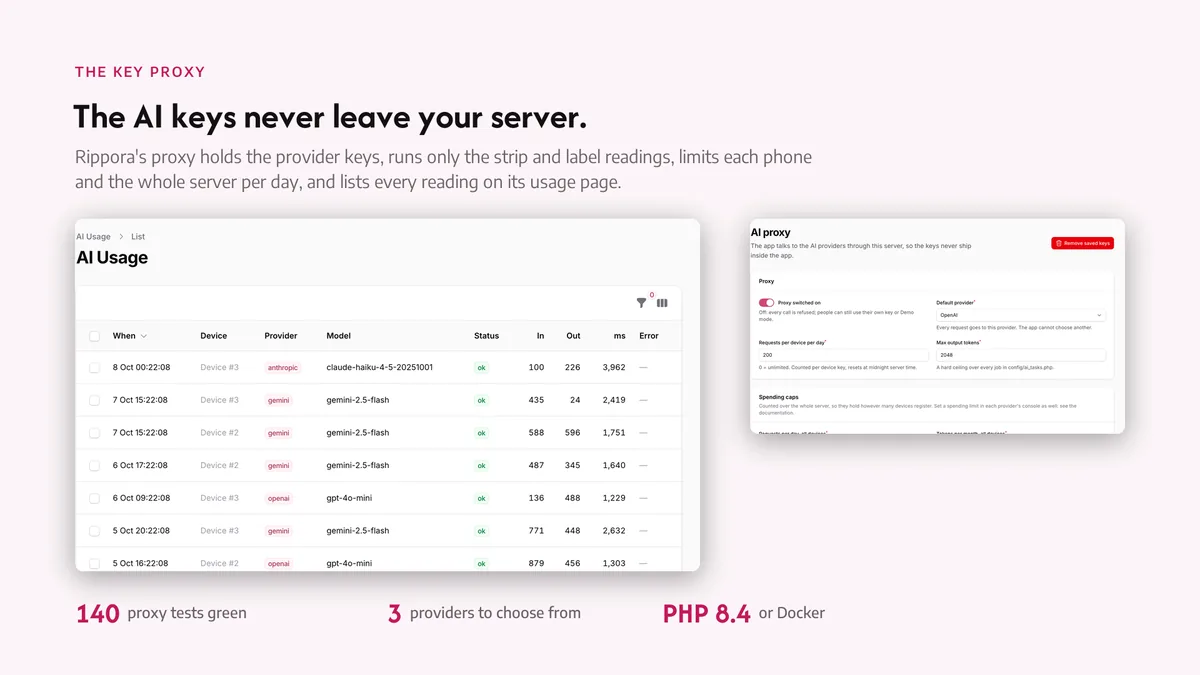
Reading a strip from a photo goes through an AI provider: your own OpenAI, Anthropic or Gemini key typed into the app, or the included key proxy so the key stays on your server and your users never see it. Typing the readings by hand and every dose calculation work with no key at all, and demo mode shows the whole flow on a sample strip.
Tests, pools and chemicals stay on the phone. A strip photo read through the key proxy is forwarded to the provider you chose, counted against the device's daily allowance and logged on your own server; nothing reaches any other service.
Regular licence. Need the Extended licence? Use the button at the top of the page.